Wear OS · Biometric Tracking
Your overall workout heart rate tells you very little. What matters in hockey is knowing how hard shift #4 hit you compared to shift #12 — and whether your recovery between shifts is getting longer. Time On Ice tracks heart rate at the shift level, not just the game level.
Get It on Google PlayHockey is an interval sport. You push near-maximal effort for 45 seconds, then rest for 2–3 minutes on the bench. Your fitness isn't measured by your average heart rate over a 90-minute game — it's measured by how consistently you can hit peak intensity and recover in time for the next shift.
Generic fitness trackers blur all of this together. You see a single average BPM for the session, which is dragged down by all your bench time. It looks like a moderate workout — even after a grueling game where you never came off the ice.
Per-shift HR gives you the data that actually matters:
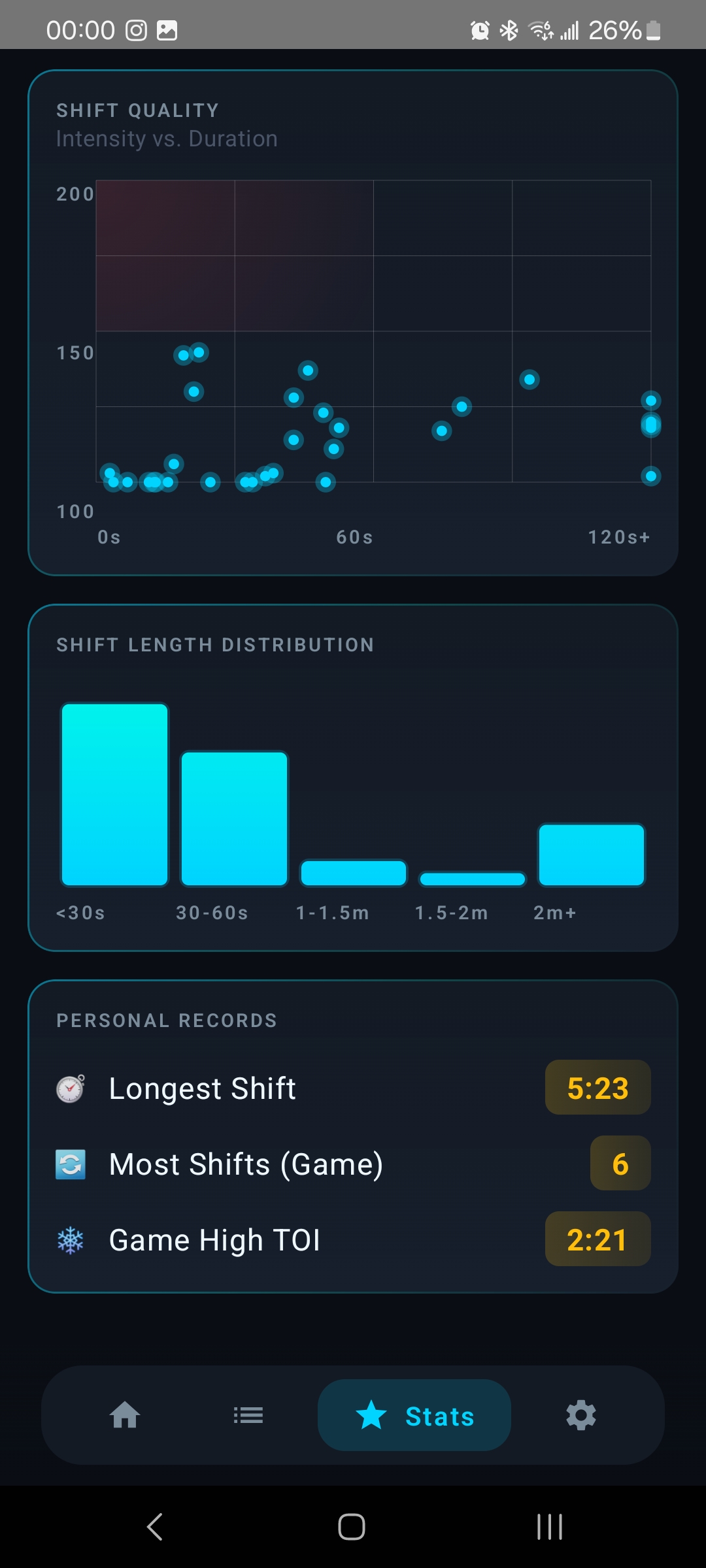
After your game, open the Time On Ice app on your phone. Every shift is listed with its own heart rate data — average BPM and peak BPM — isolated from your bench recovery periods.
The scatter plot view lets you see shift quality across the full game: duration on one axis, average heart rate on the other. You can immediately spot which shifts were short and intense versus long and efficient, and track how your effort changed as the game progressed.
Over a full season, this builds a picture of your cardiovascular development that no other Android hockey app can provide.
| App / Device | Per-Shift Heart Rate | Bench HR Excluded | Platform |
|---|---|---|---|
| Time On Ice | ✓ Per-shift avg + peak | ✓ Bench isolated | Wear OS (Galaxy, Pixel, Ultra) |
| HockeyTracker | ✓ Per-shift avg + peak | ✓ Bench isolated | Apple Watch only |
| Samsung Health | ✗ Game average only | ✗ Blended with bench | Wear OS (Galaxy Watch only) |
| Garmin | ✗ Session average only | ✗ No shift awareness | Garmin OS |
Available now on Google Play for all Wear OS smartwatches.
Get It on Google Play